
Anywhere UX
Bespoke — Building A Design System That Fit Everyone
My Role: Vice President, User Experience
The Challenge:
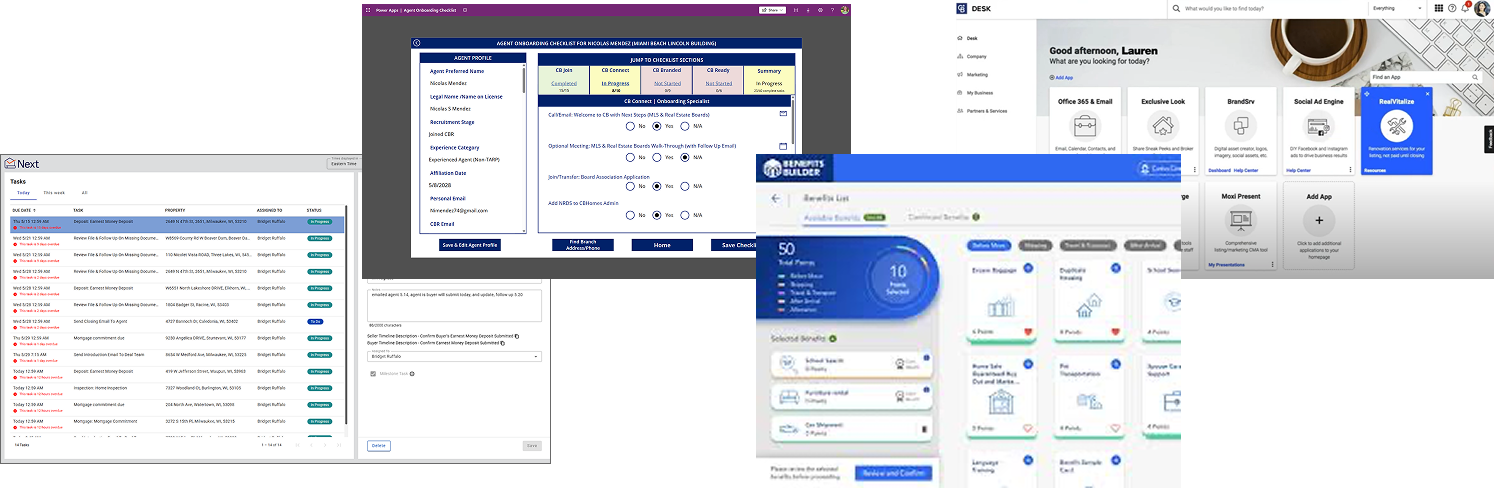
When I landed at Anywhere, our design ecosystem was a bit like a patchwork quilt. Colorful, unique… and held together by pure willpower and bad stitching. Every application had its own patterns, its own way of doing things, and its own definition of “button” (sometimes more than one in the same app).
Engineering’s take? “Why not just use Material UI?”
On paper, it made sense. In reality, it would have been like wearing someone else’s clothes for the rest of your life, never quite fitting, always compromising. It couldn’t scale across brands, had accessibility gaps, and would lock us into updates we didn’t control.
Convincing folks otherwise took education, whiteboard diplomacy, and some very patient conversations. When we finally aligned on building something custom, engineering said they couldn’t spare anyone for the work. So I gave up one of my own headcount, partnered with engineering leadership to fill the role, and together we turned that hire into the system’s chief architect.
With Anywhere’s initiative to consolidate 90+ applications down into 5 newly designed applications, the time was now.
Below are some screens pre-bespoke implimentation.
Step One: Get Designers Speaking the Same Language
The first person I hired after joining anywhere was a designer for the design system. I brought on someone who could take direction and run with it, knowing when and how to partner with me and when to make a call and run forward.
We needed cohesion, and we needed it fast. I rallied the design team to create an analysis of all current software to know what patterns we were using. Then, the Design System Designers built an incredibly robust Figma library, with weekly updates and releases, so every designer could work from the same foundation. Bespoke is built on the foundation of atomic design.
This wasn’t just about pretty buttons, it was about setting a standard and showing what good, consistent design could look like. That cohesion became our secret weapon for winning over the org.


Step Two: Convince Engineering This Was Worth Building
Engineering’s first suggestion? “Let’s just use Material. ”
My counter? “Sure, if we want to use a consumer UI for enterprise applications, our multiple brands to look identical, rack up accessibility debt, and make every future update a game of Jenga.”
I spent weeks with engineering leadership walking through the business, brand, and usability risks of a one-size-fits-all system. Eventually, they agreed: a custom system was the only way to serve both our users and our portfolio of brands.
The catch? No one had capacity to build it. So knowing how vital a solid design system would be to our success, I gave up one of my own designer headcount slots to hire a dedicated engineer. We built a true joint team, equal parts design and engineering, with the kind of trust and transparency that made collaboration a joy instead of a turf war.
Step 3: ZeroHeight, Pricing Magic, and the All-In-One Workflow
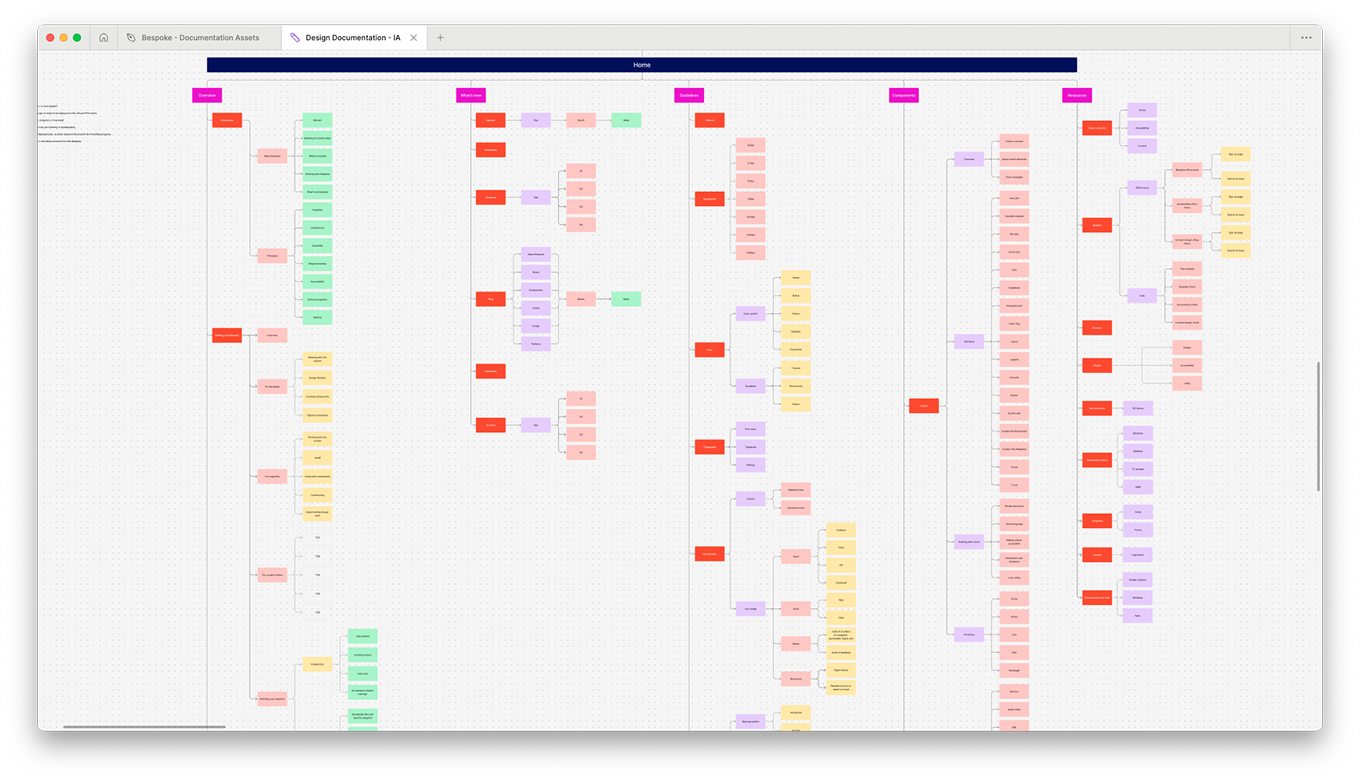
Once we had the green light, we needed the right home for our documentation. After reviewing competitors, we chose ZeroHeight and then negotiated the price way down (because nothing says “leadership” like giving finance a pleasant surprise).
From there, we connected the dots: Figma for design, Storybook for component previews, Asana and Jira for tracking, and GitLab/GitHub for version control. It was an end-to-end workflow that made the design-to-development process feel less like a relay race and more like a well-choreographed dance.

Step 4: From Idea to Open Source — Our End-to-End Process
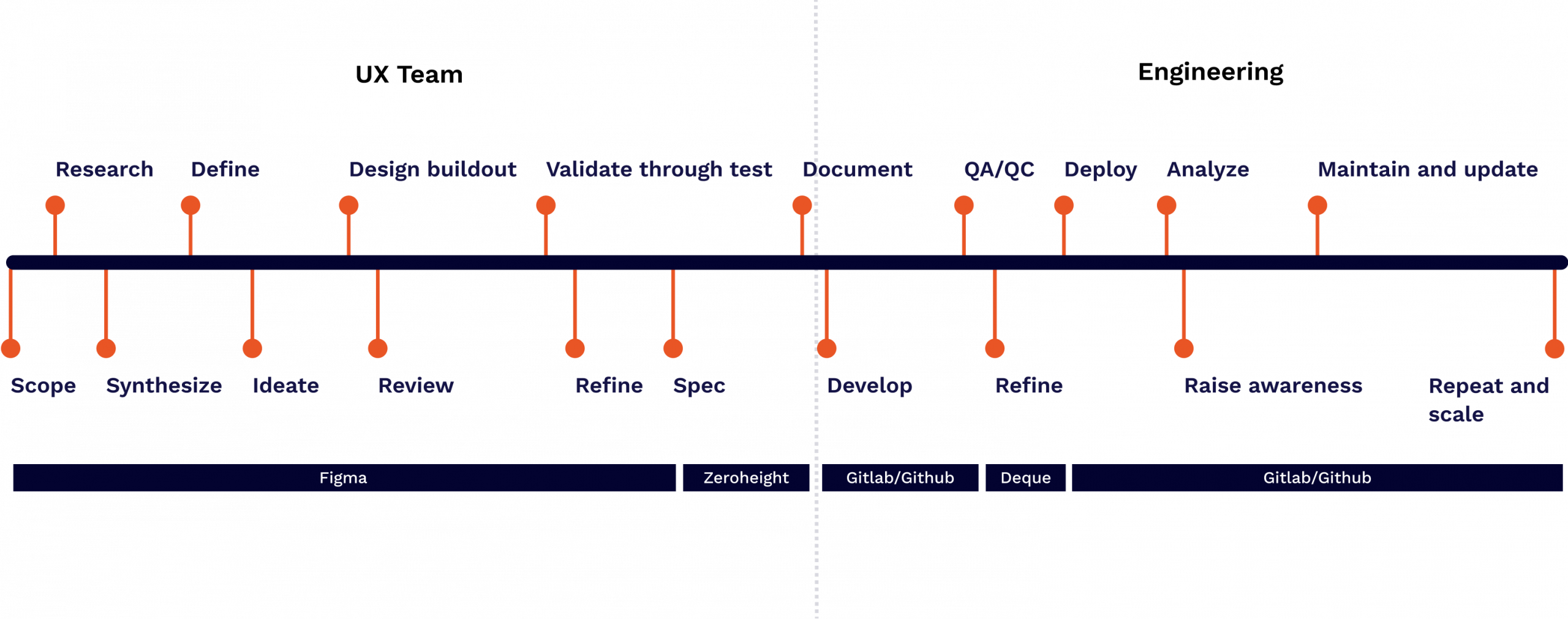
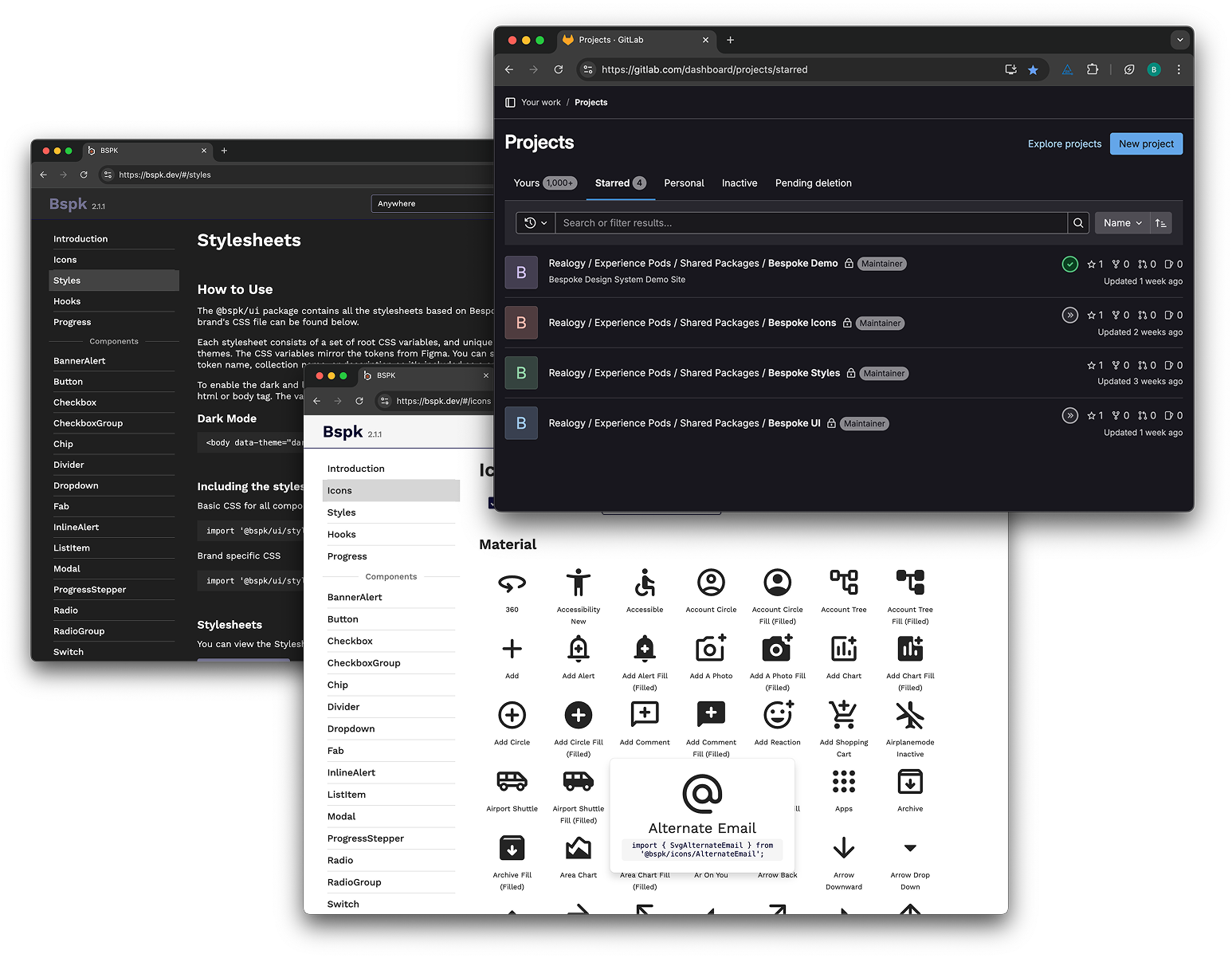
We formalized a design–document–build process: research, design in Figma and asana, document in ZeroHeight, develop in code with Github, Jira, and storybook, confirming accessibility with deque. Then came my favorite twist — Bespoke became Anywhere’s first-ever public-facing code base, contributing back to the engineering community.
We broke down the Zeroheight process into deeper detail, bringing in a peer review process to have our content designer and accessibility specialist both contribute and review all the content, making sure we all had each other’s backs and were confident in the content we released to the org.
Step 5: Engineering the Build Process
With the process locked in, our engineering team set up a tightly controlled workflow to keep quality high and releases predictable. Every component followed a strict branch and merge strategy, with pull requests reviewed by both engineering and design. Unit testing was mandatory, accessibility testing was built into the CI pipeline, and Storybook previews ensured design parity before anything hit production.
GitLab and GitHub weren’t just code storage, they became the living history of Bespoke’s evolution. Every commit told a story, and every release brought the system closer to being an essential tool rather than “just another resource.”
Impact
New applications use Bespoke from day 1 and reap all the benefits. For applications that started before Bespoke was ready, we have a roadmap to replace the code with new components leveraging AI to speed it up. All applications at Anywhere will be fully on bespoke by the end of 2026.
Bespoke has quickly became the foundation for all design and development at Anywhere. In its first year, it drove measurable results:
components created
brands fully supported
%
reduction in design time
%
reduction in engineering time
%
accessibility out-of-the-gate
More importantly, it gave designers and developers a shared sense of ownership. Bespoke wasn’t my system or their system; it was our system. And it continues to grow because the people using it are also the people shaping it.